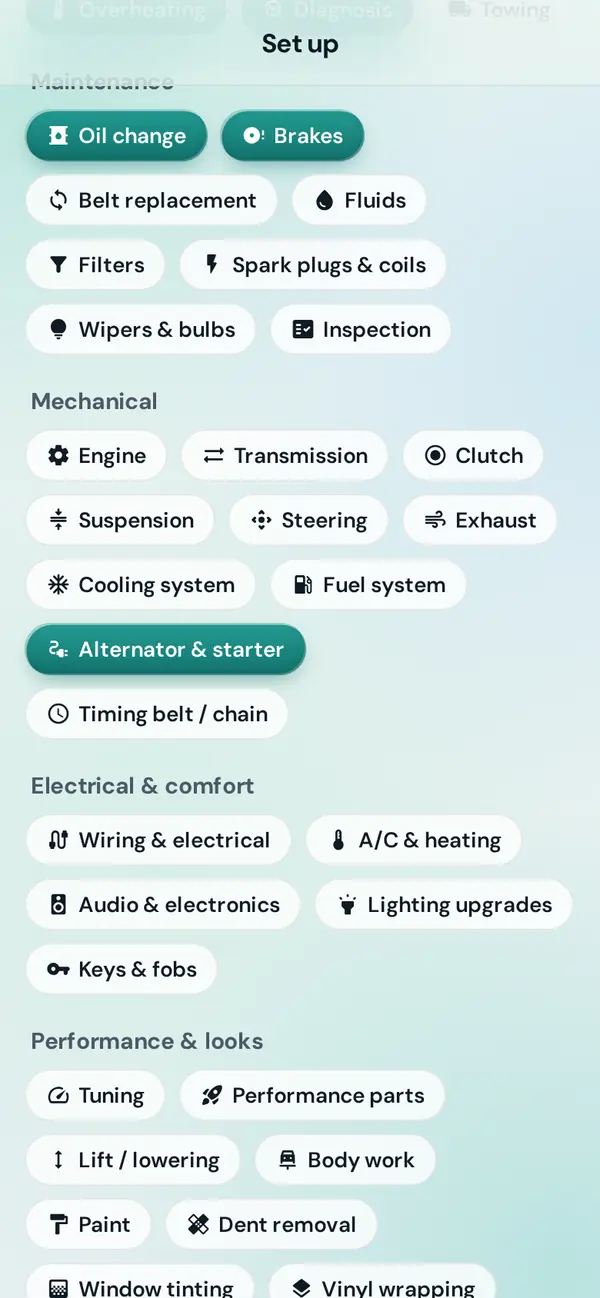
Tell us what's wrong
Tap SOS, say whether it's an emergency, pick the problem and add a photo if you can. SOS means service on scene: a mechanic comes to wherever your car is, on the roadside, in a parking lot or in your driveway.
How to send an SOS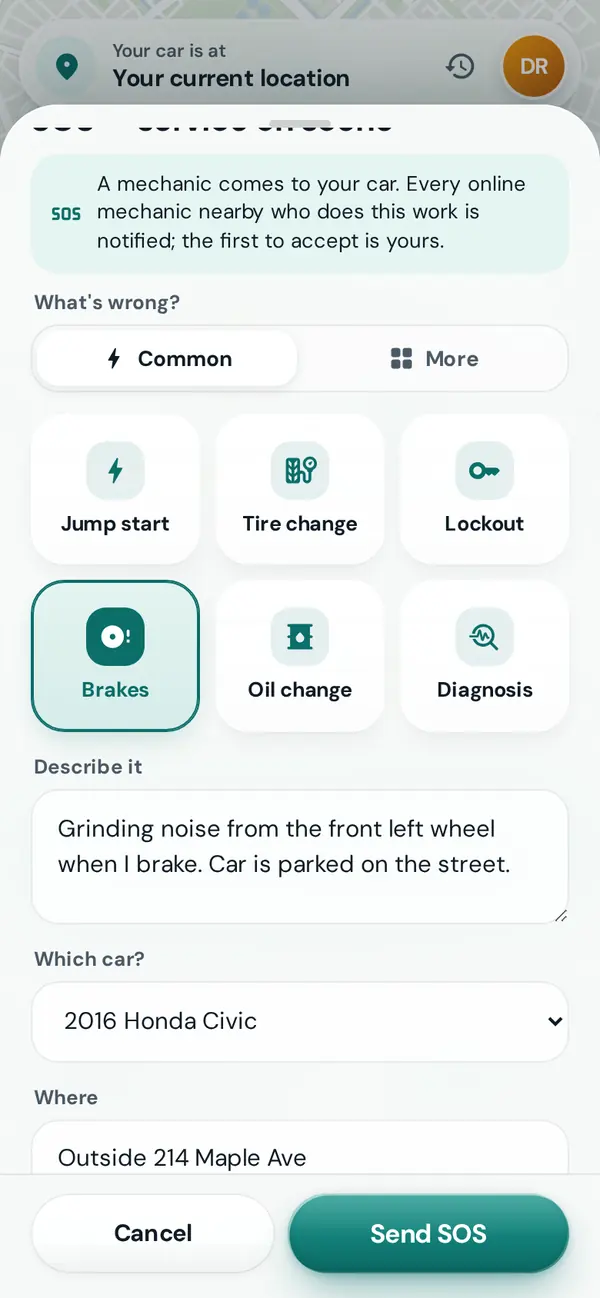
Service On Scene connects drivers with mobile mechanics, technicians and repair shops nearby. Send an SOS from the roadside or your driveway, agree the price in writing, and watch them arrive on the map.
Five steps, and you can see every one of them happen. Scroll along and the phone shows each screen.
Tap SOS, say whether it's an emergency, pick the problem and add a photo if you can. SOS means service on scene: a mechanic comes to wherever your car is, on the roadside, in a parking lot or in your driveway.
How to send an SOSEvery online mechanic and shop nearby who does that work sees it on their board, and the first to accept takes the job. Not in a hurry? Ask for quotes first and pick the one you like.
Getting quotes first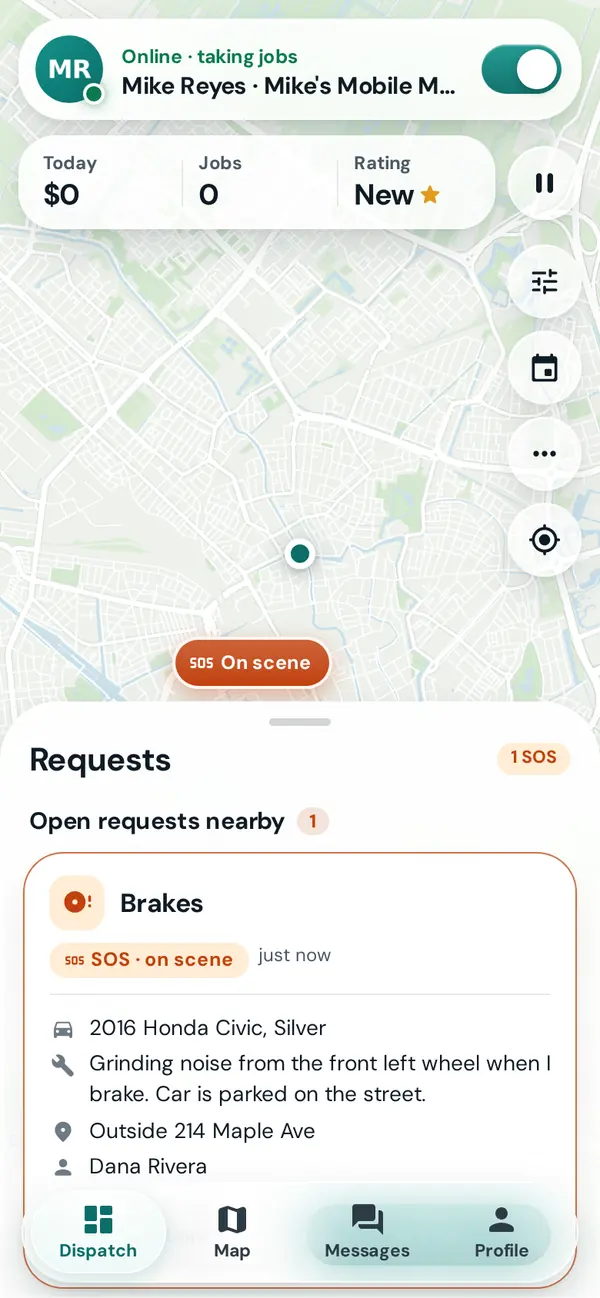
The mechanic names their price, line by line. You both sign a short service agreement before anyone sets off, and nothing is added to it later unless you approve it.
About the agreement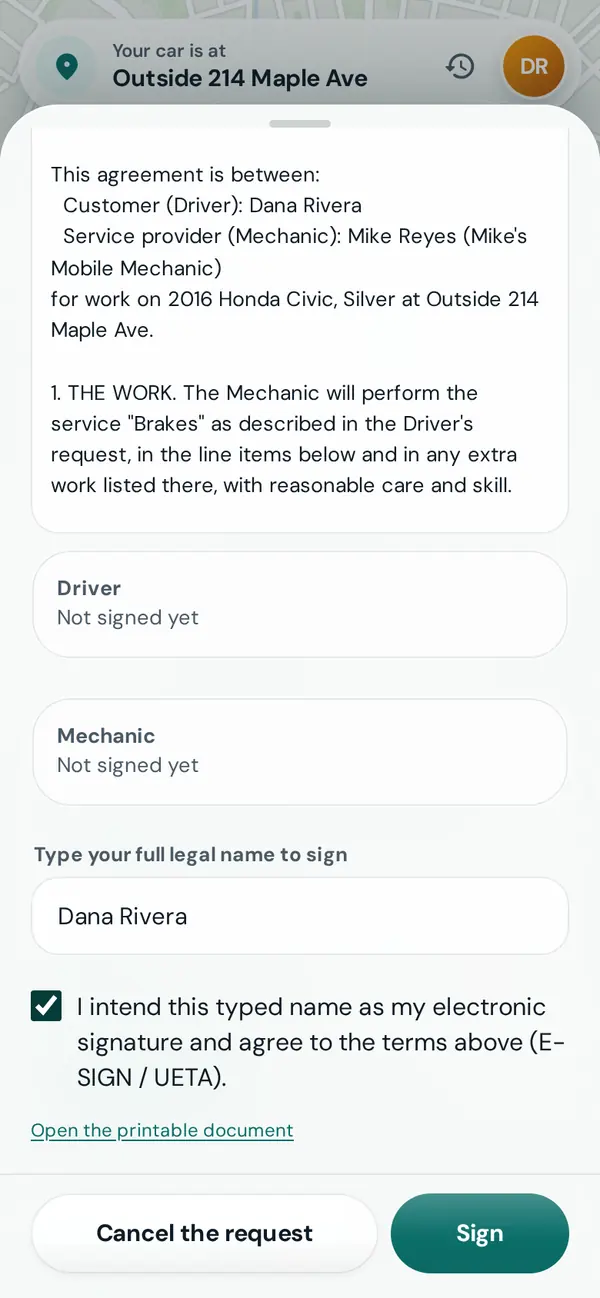
Follow your mechanic on the map with a live arrival time, message or call them, and share the trip with someone you trust.
Following your mechanic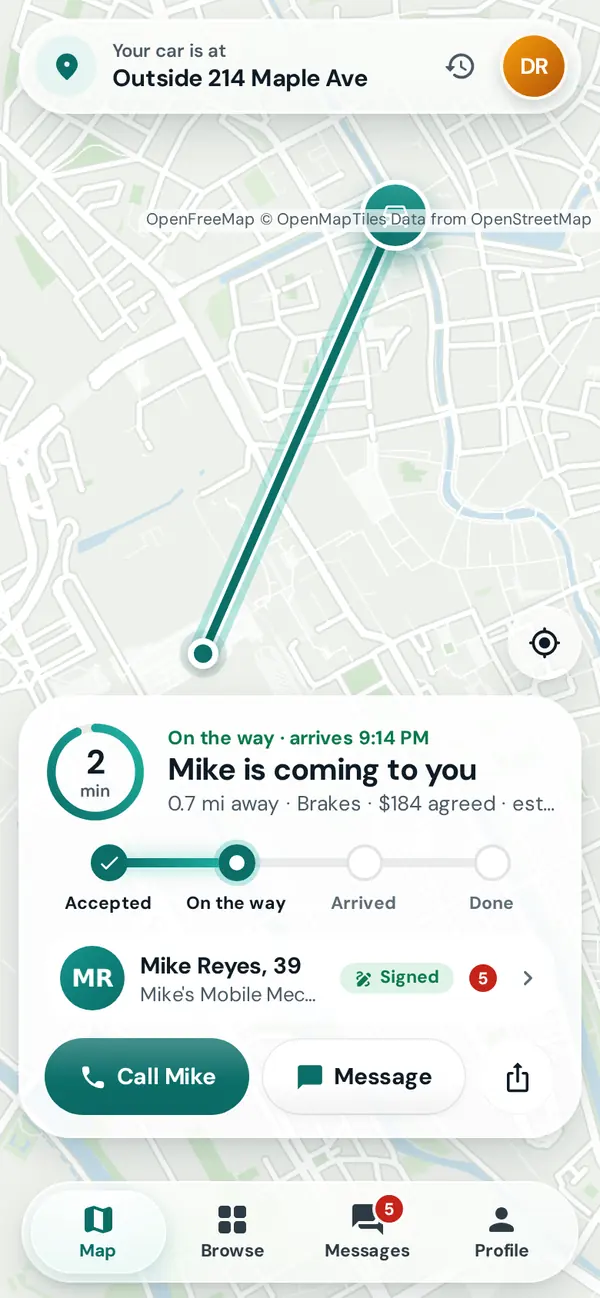
When the work is done you both confirm it, you pay the mechanic directly (cash, card or an app, as agreed), and you rate each other. The receipt goes into your car's history.
Finishing a job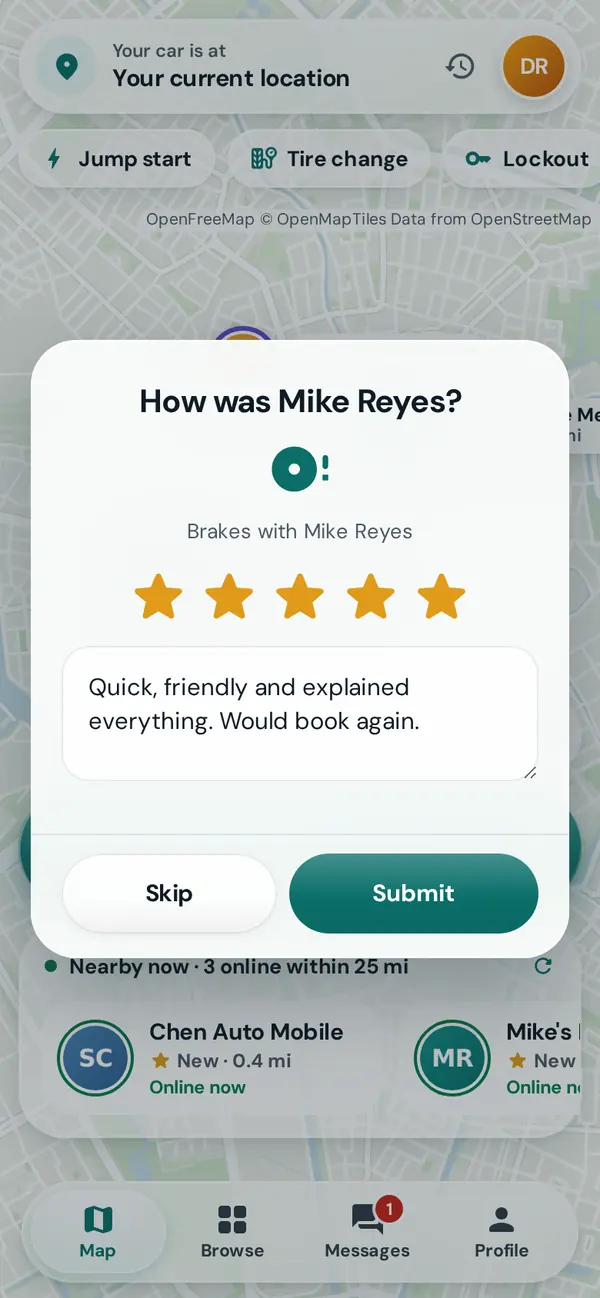
Right now or next Tuesday, at the roadside or at a shop. Pick how you want it done, and see the price before the work starts.
Say you're not safe and your emergency SOS goes straight to tow providers nearby, to move you to a safe spot first. The price is in the towing agreement before you sign.
Get towed to safety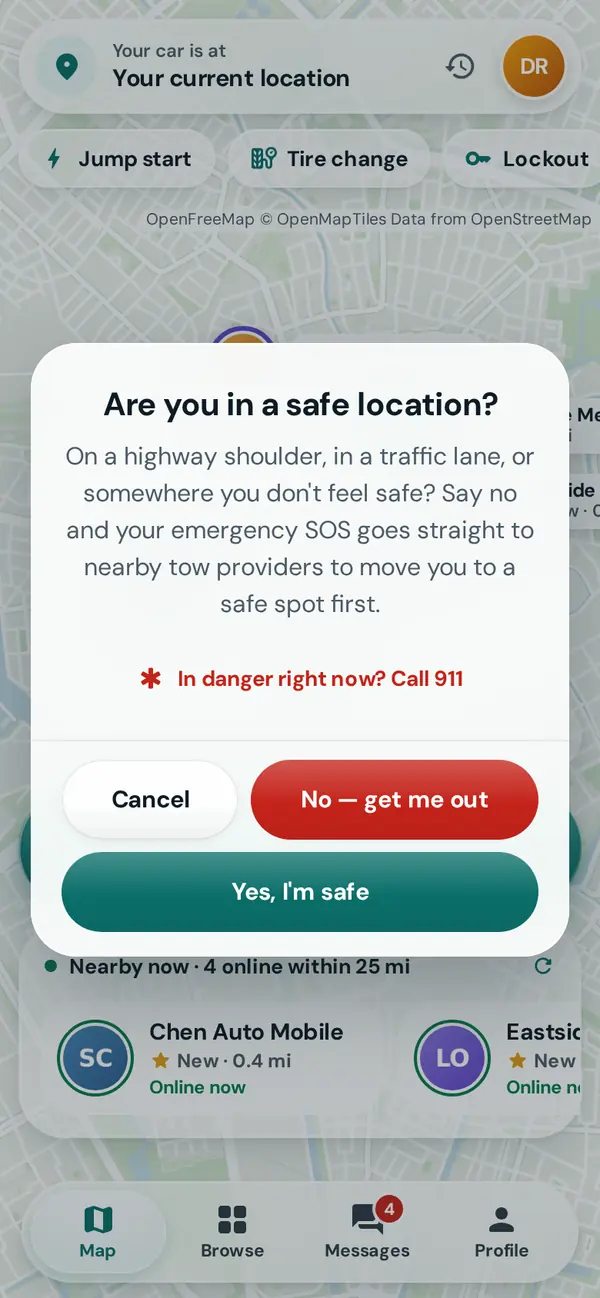
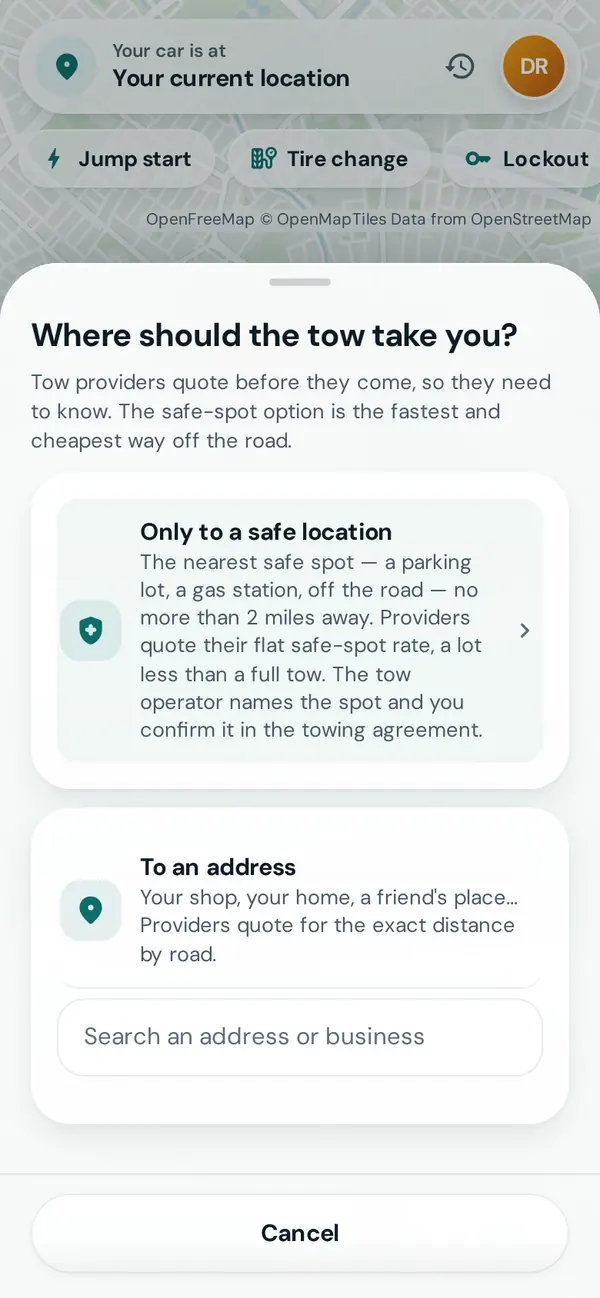
Ask for quotes first: mechanics send a price and when they can come, line by line. Nobody is sent until you accept one.
Get quotes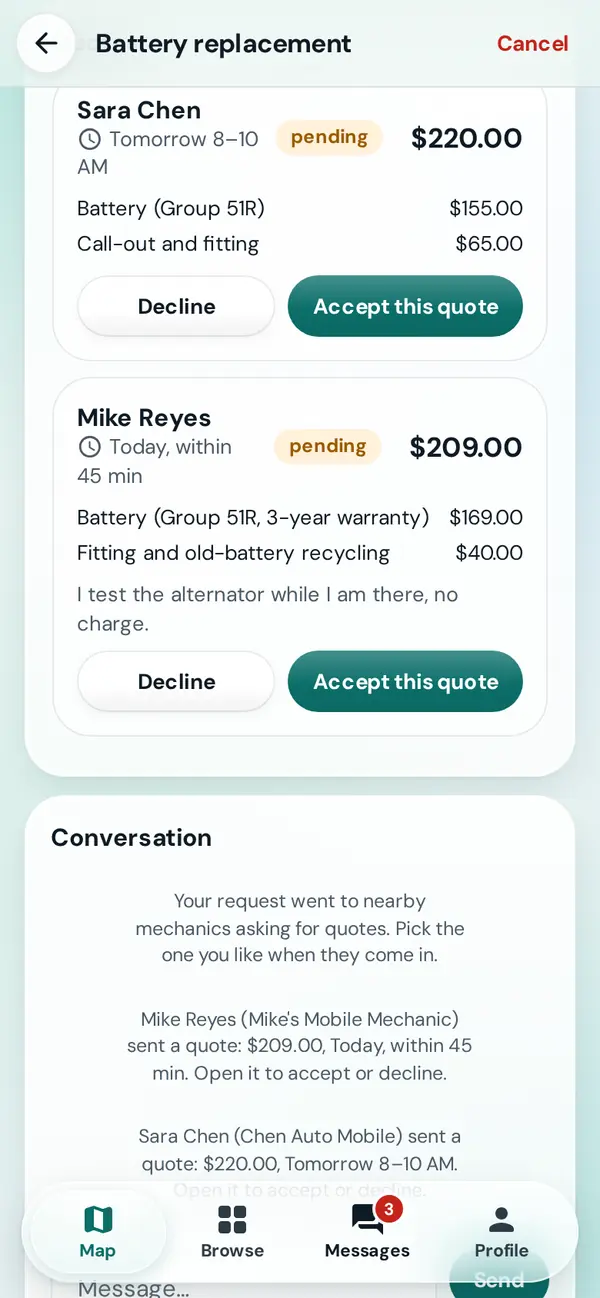
Pick a day and a time window. The mechanic or shop takes the booking, and you both get a reminder.
Book a job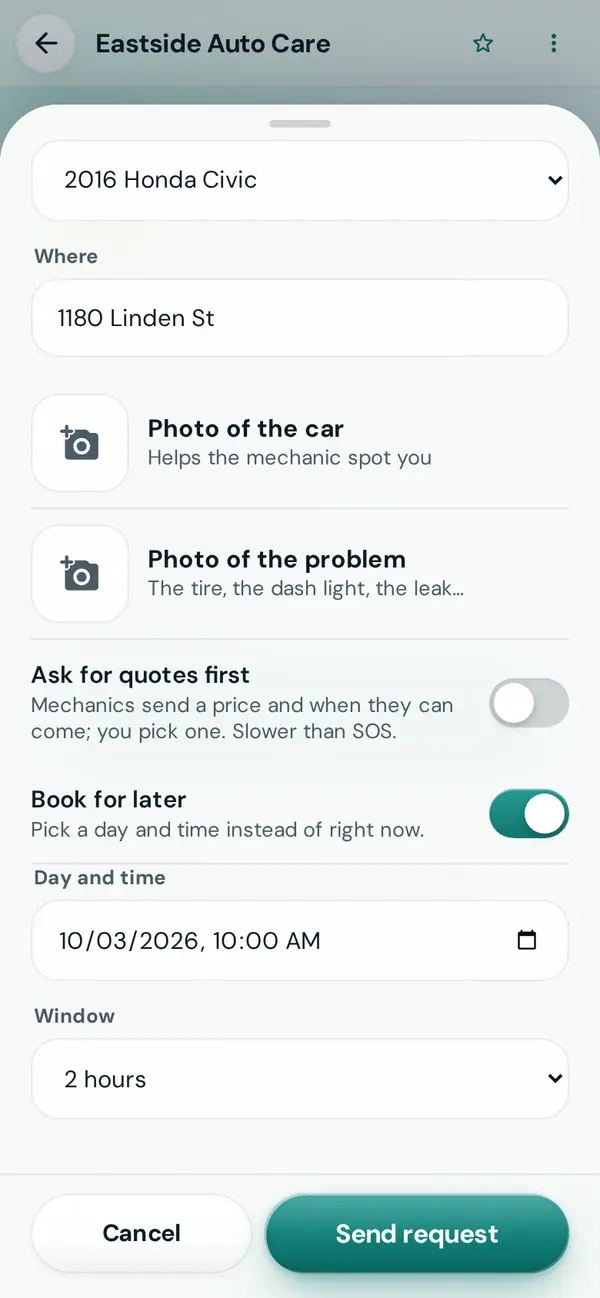
Send someone a live link to follow along: who's coming and when. No account needed, and it ends by itself.
Share a trip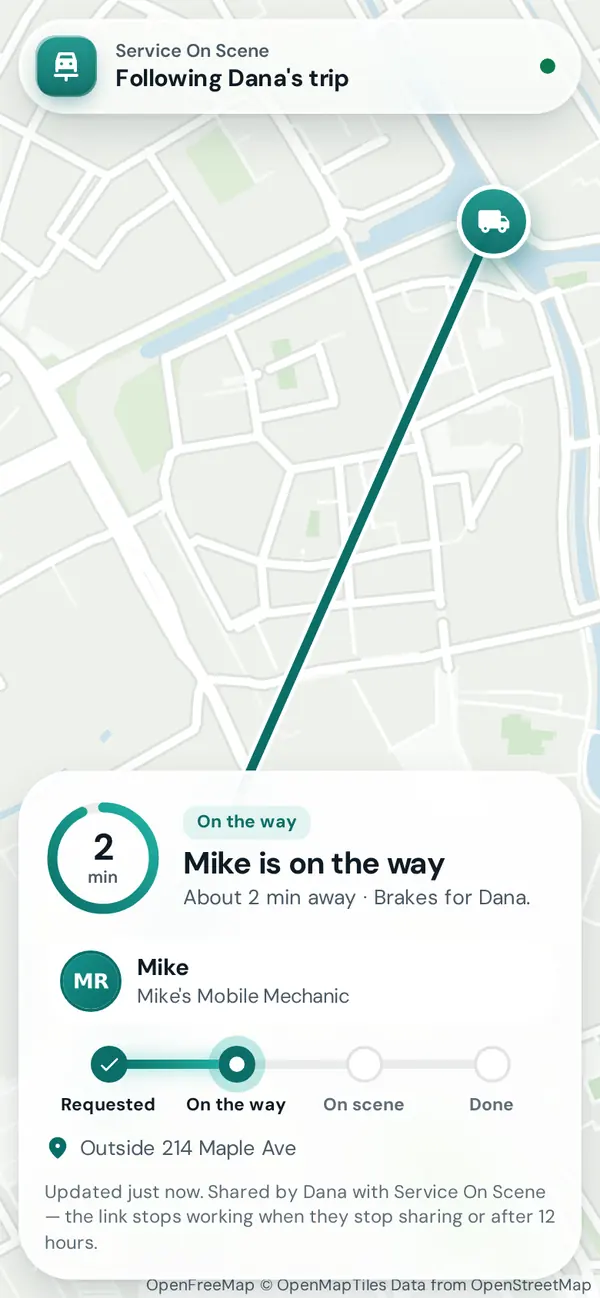
Clear prices for common jobs, posted by mechanics and shops nearby. Tap one to request it.
Deals near you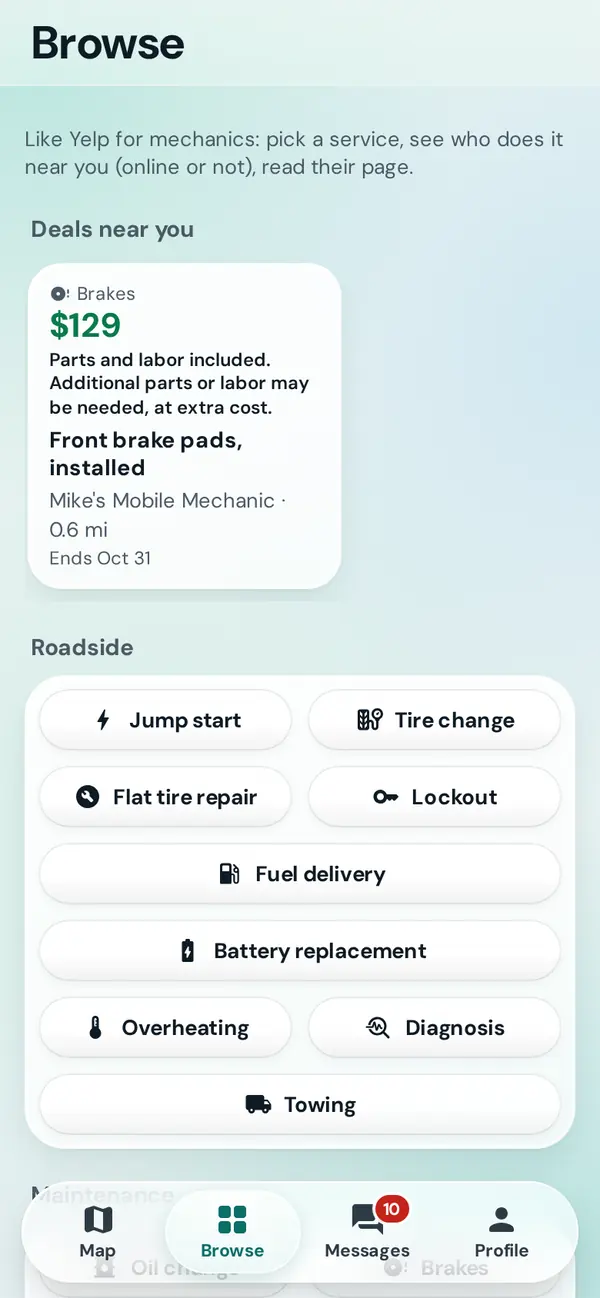
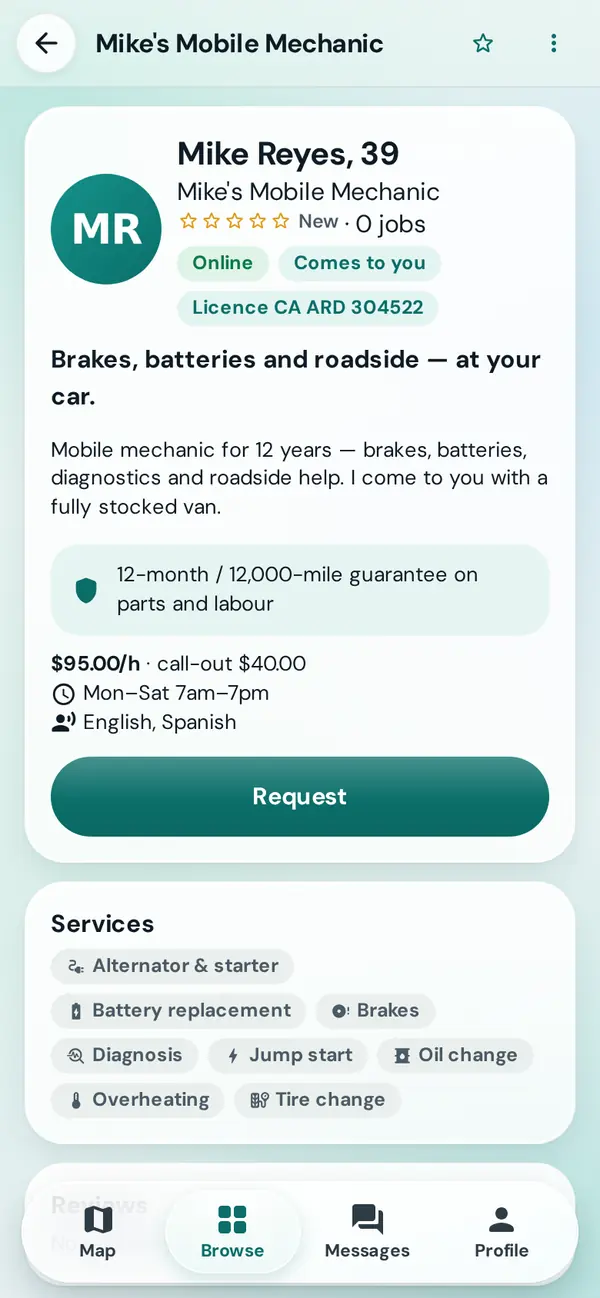
Browse by service, online or not. Read their page: rates, services, guarantee, reviews and license. Then ask them directly.
Browse mechanics and shops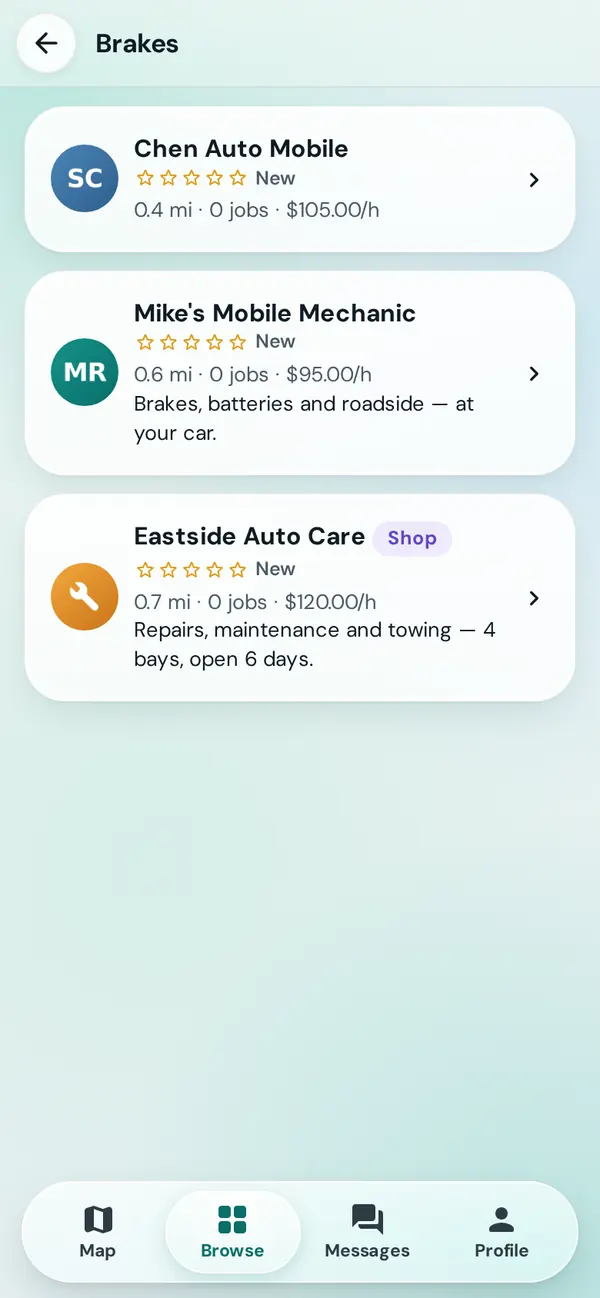
Every job leaves a summary and a receipt: what was done, the parts, the agreed total. It all adds up to a service history for each of your cars.
Past jobs and receipts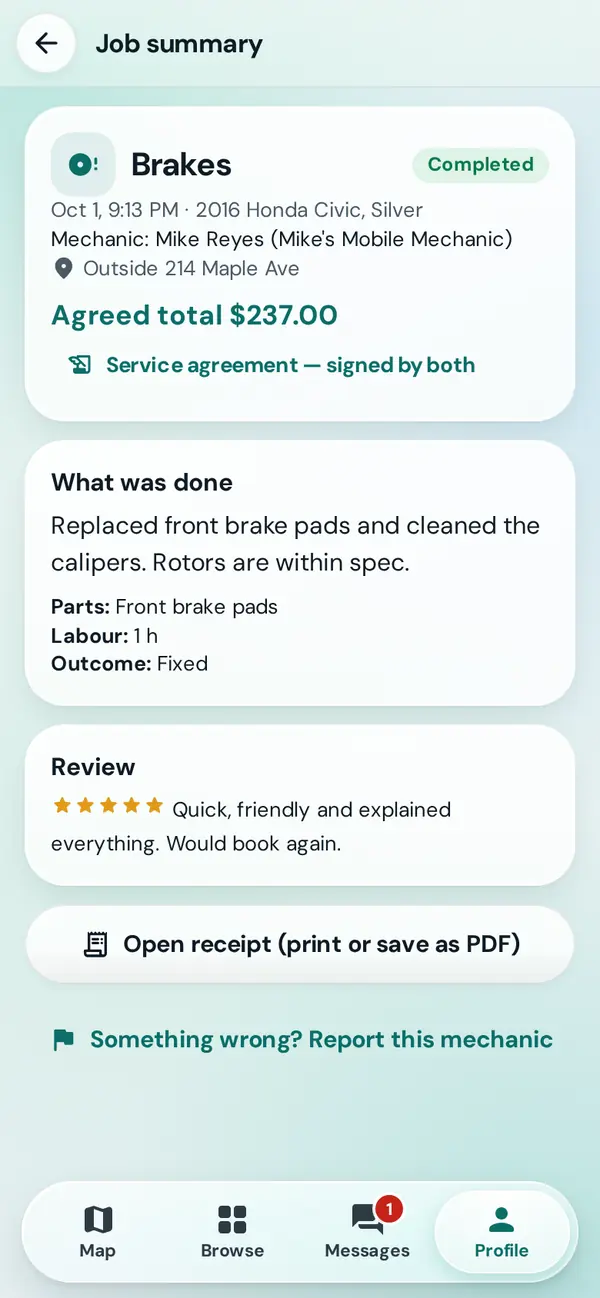
Mobile mechanics and technicians get requests from drivers nearby. You decide when you're online, which jobs you take and what you charge.
Add a photo, a short bio, the services you offer, your rates and your license. Drivers see your age, never your birth date. Stuck on a field? The setup guide goes through every one.
Set up your mechanic account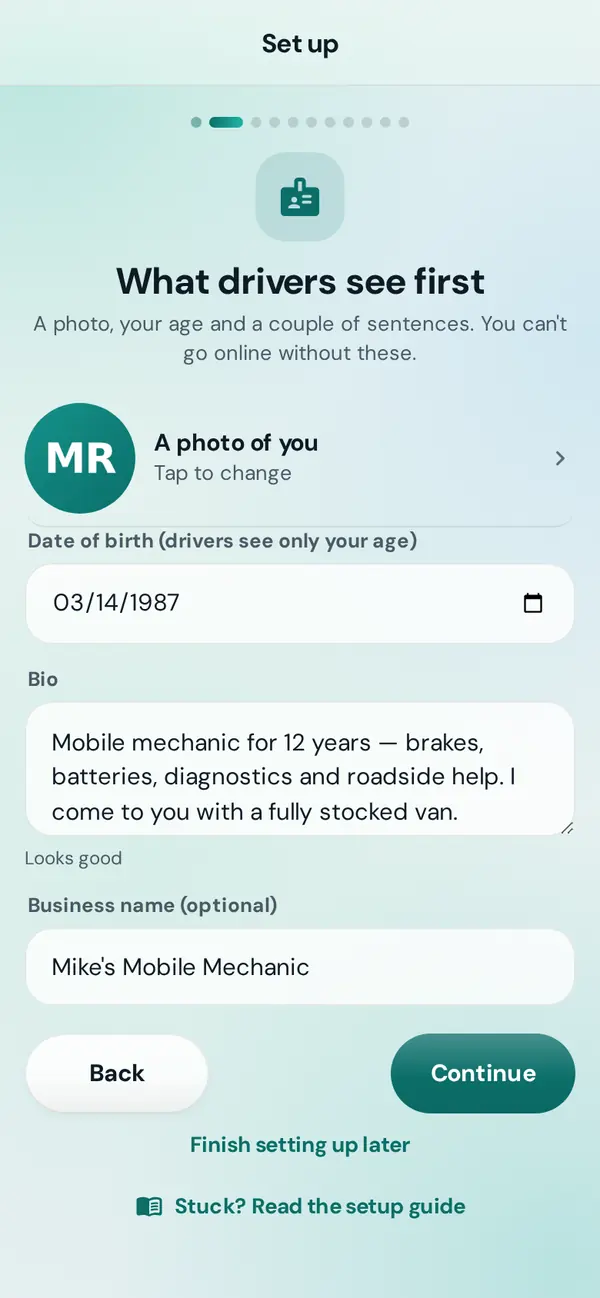
Flip one switch and requests for the services you do, near you, land on your board. Filters and a 30-minute pause keep you in control.
Go online and choose your jobs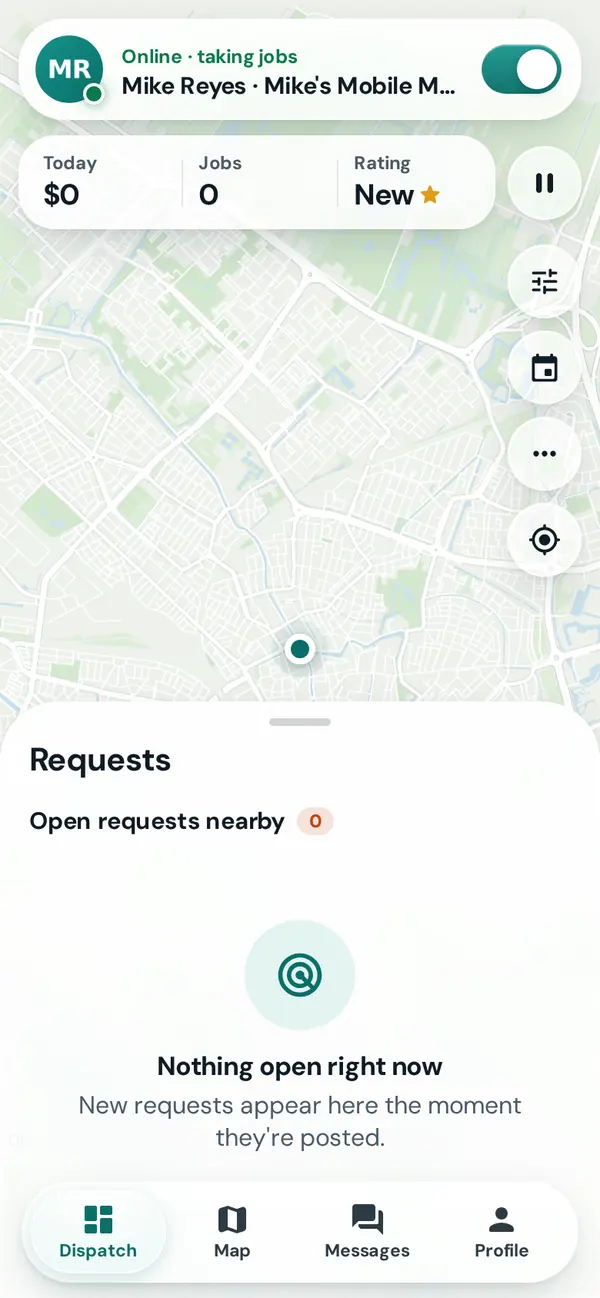
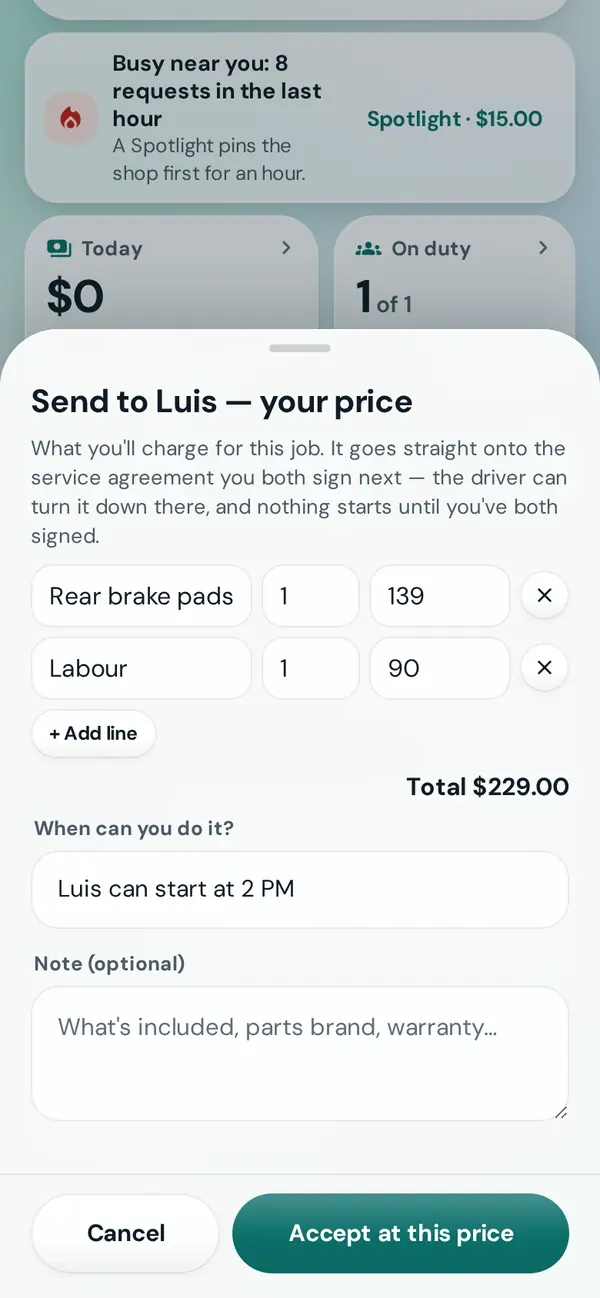
Every job is at your price, line by line. The driver signs the agreement before you set off: their written promise to pay you, directly.
Take a job and set the price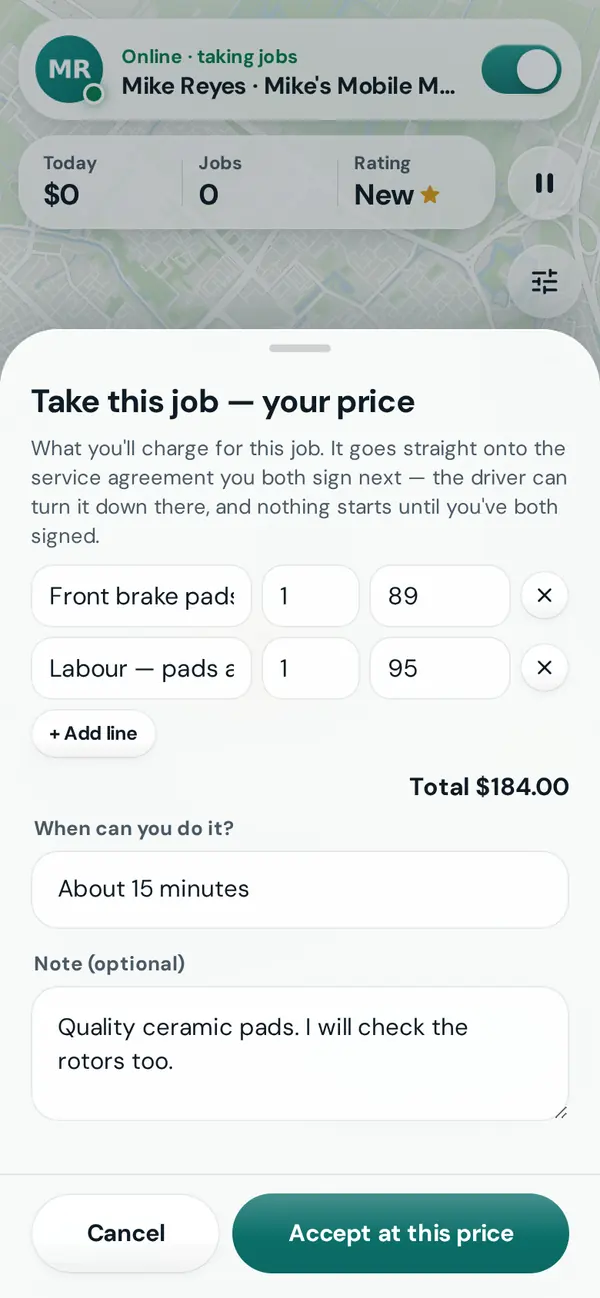
On my way, I've arrived, Work finished. The driver sees you coming, and any extra work you find is approved by them before it's added.
On the way and on scene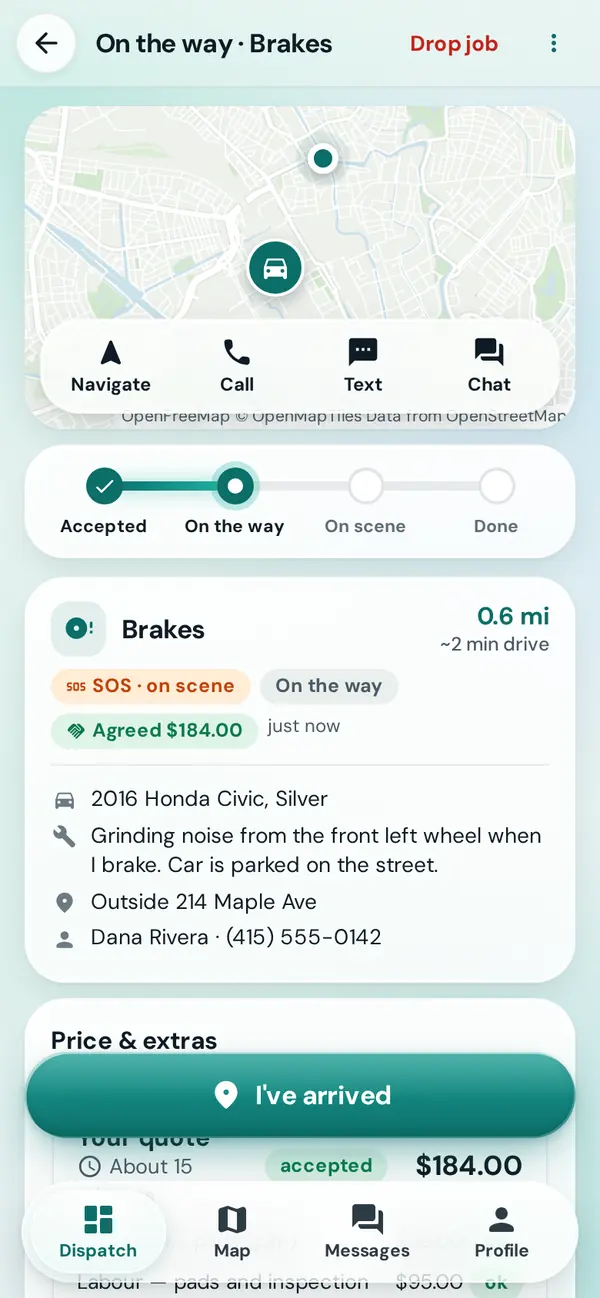
The jobs map shows open requests around you, even while you're offline, and the heat map shows where jobs are getting done today.
The jobs map and heat map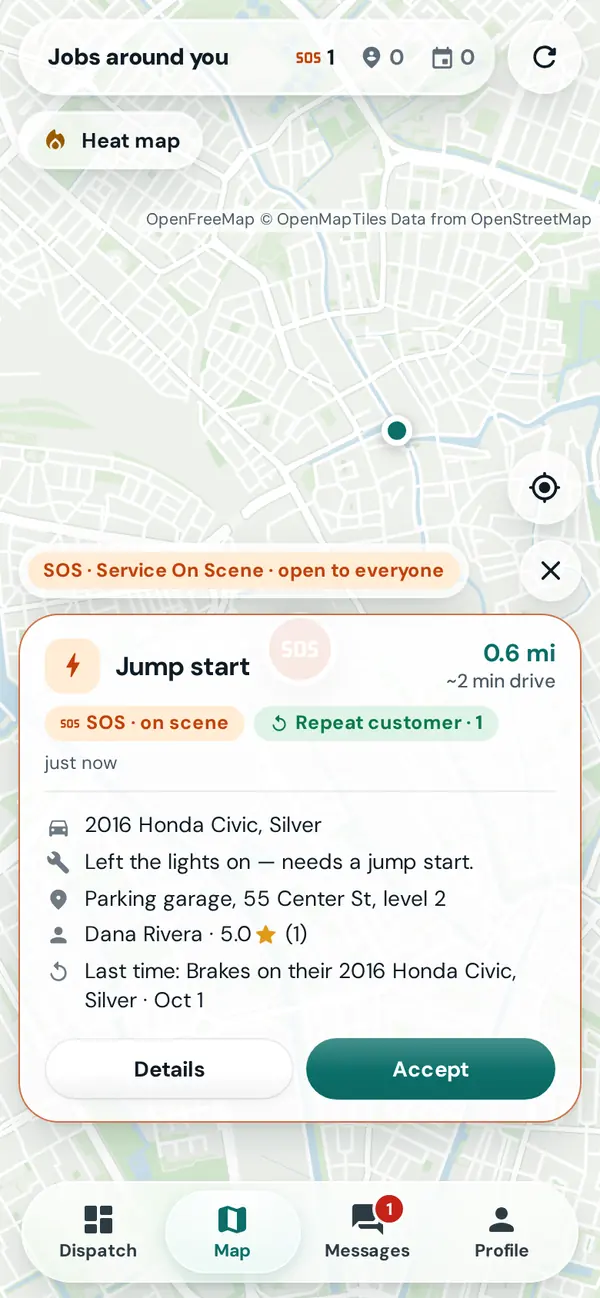
Earnings against a weekly goal, your acceptance and completion rates, your rating, and every receipt, all in one place.
Earnings and job history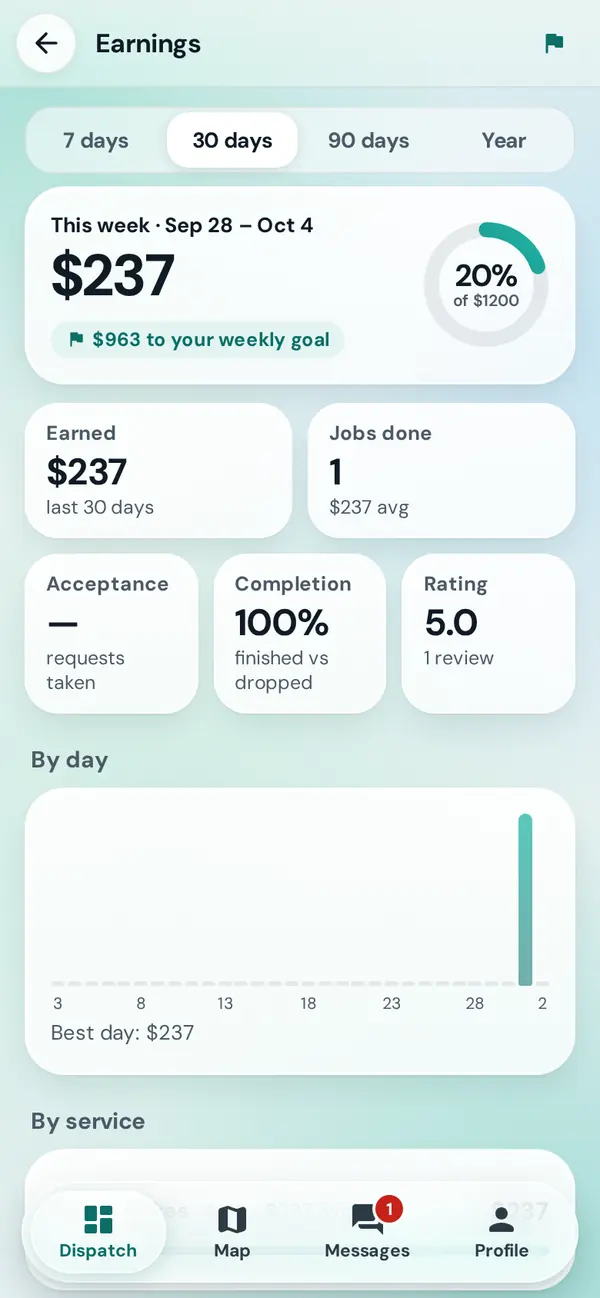
List your garage with its address, bays and hours. Take drop-offs, bookings and roadside calls, and put your technicians to work, each with a login of their own.
Drivers find you in Browse with a Shop badge, your address, rates, services, tow prices and reviews.
Your storefront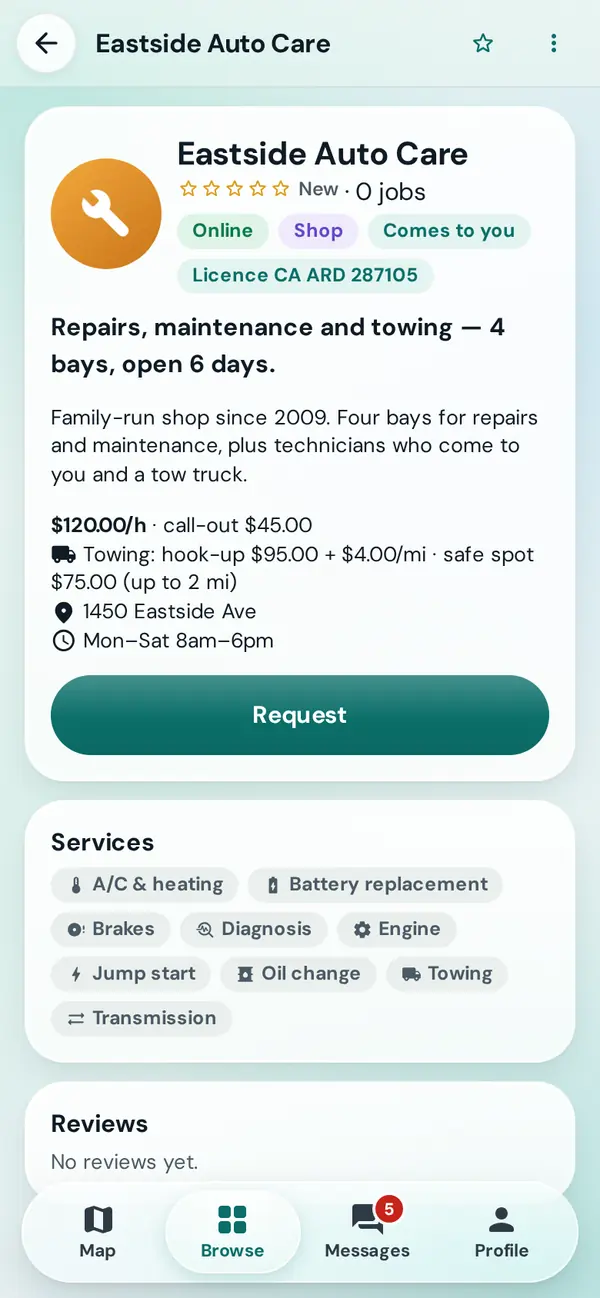
Add technicians and see who's on duty, live on the map. Hand each request to whoever's free, with a price; they take SOS calls nearby on their own phone.
Hand a job to a technician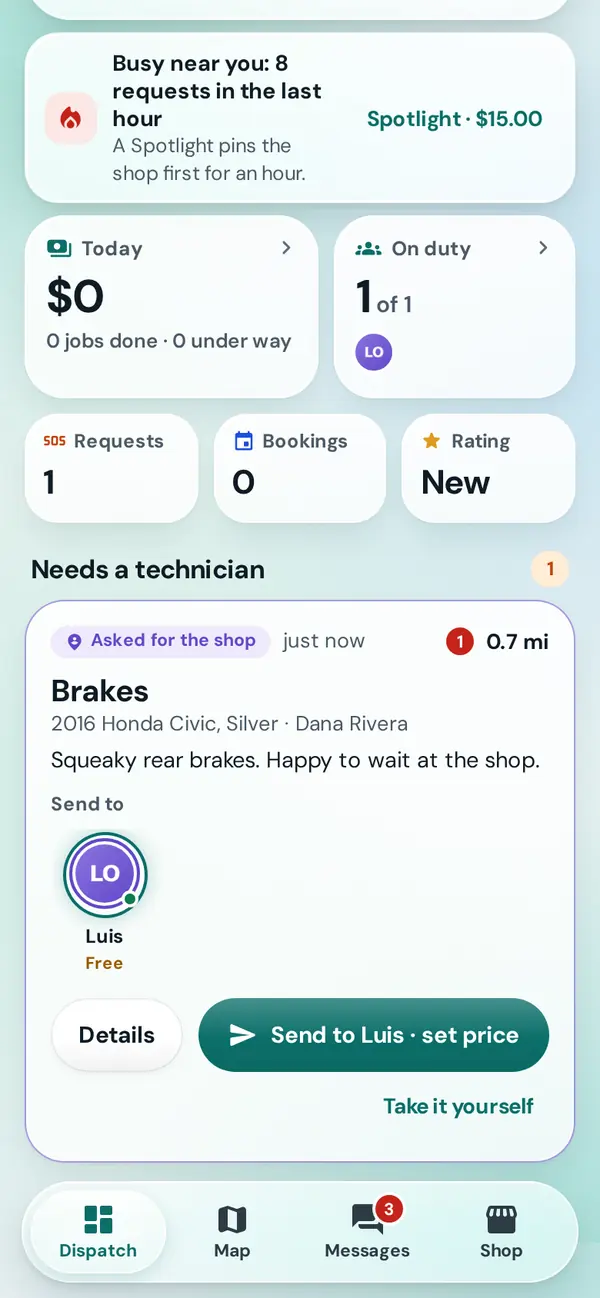
List towing to get tow requests, including drivers who aren't safe, priced from your own tow rates.
Tow jobs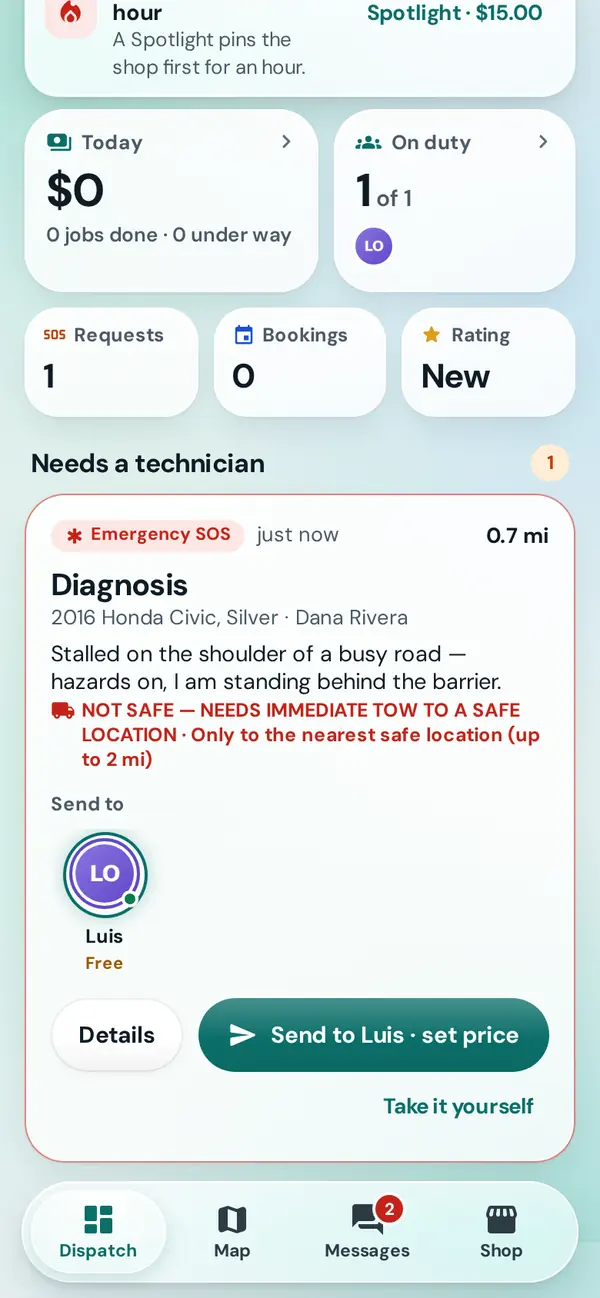
Drivers book a day and a time window. Take the booking and it goes on the shop's schedule, in the colour of whoever has it.
Bookings and the schedule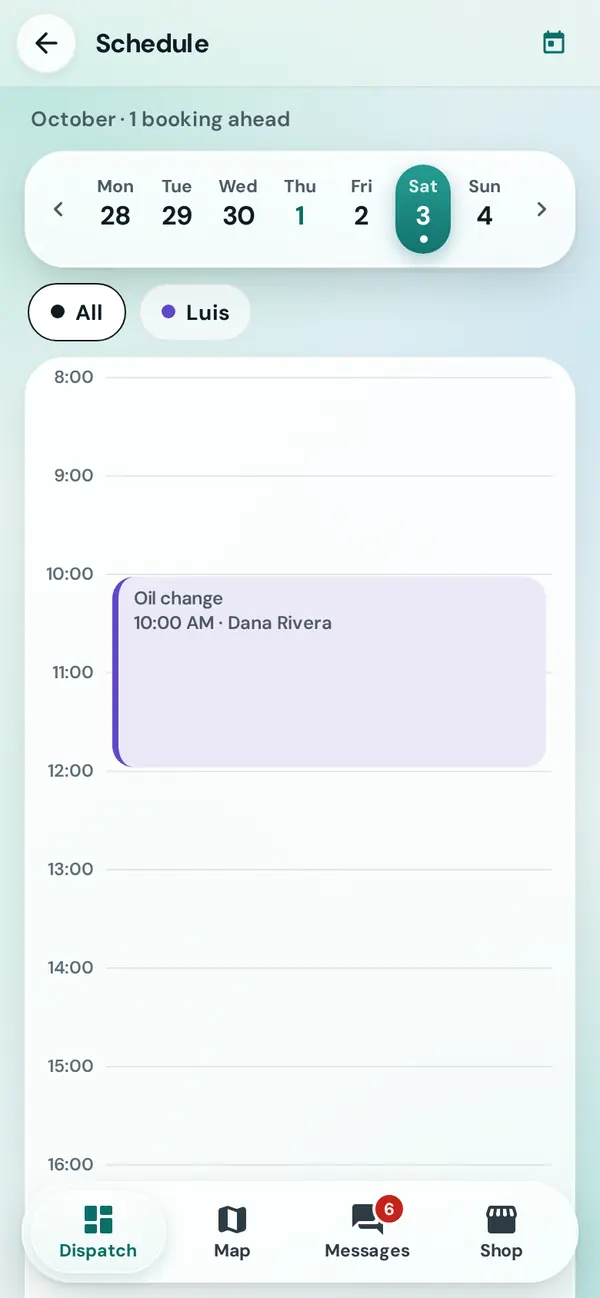
A clear price for a common job, like front brake pads installed. Drivers nearby see it in Deals near you.
Post a deal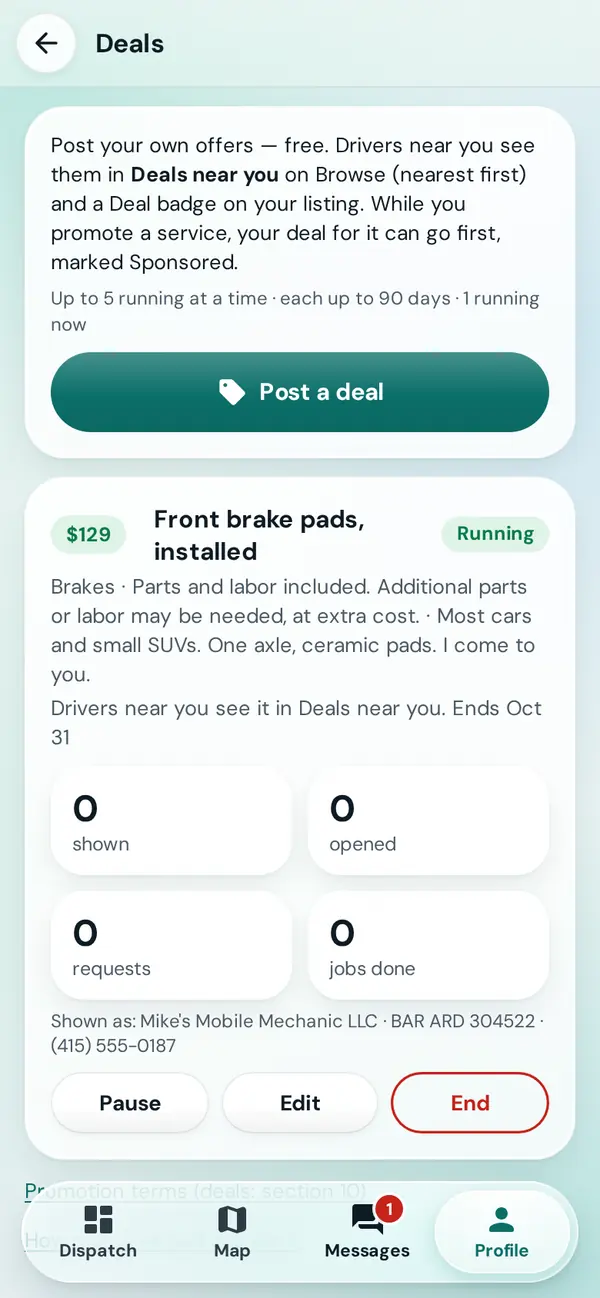
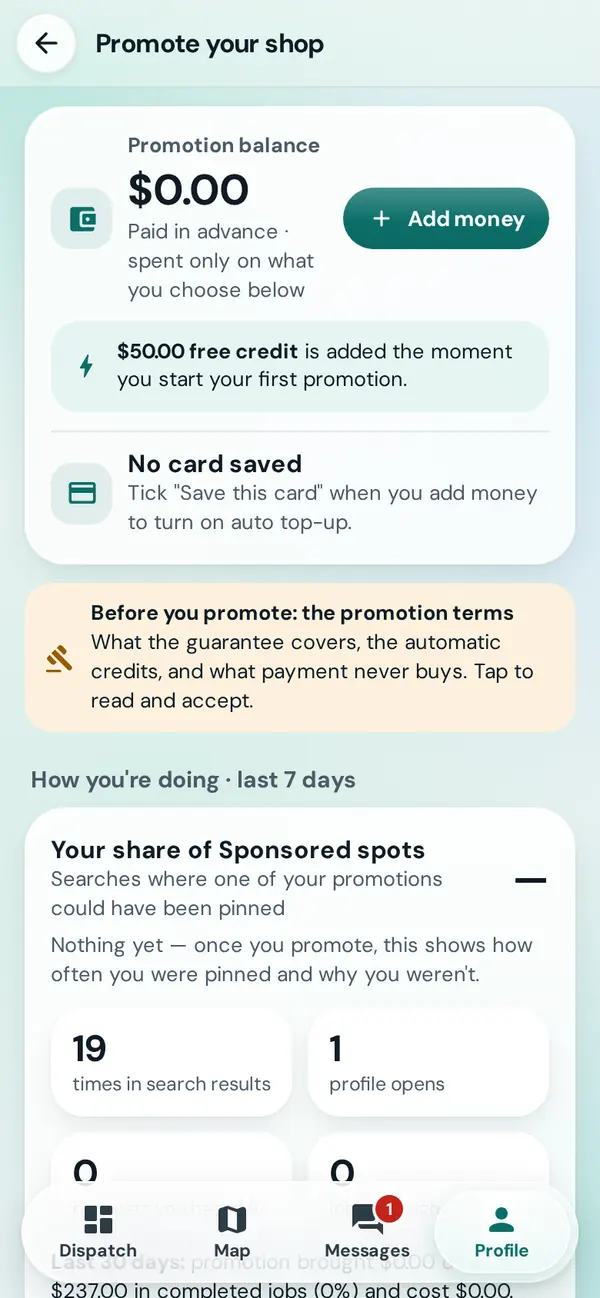
Service On Scene is free to use. When you want more requests, pay for Sponsored spots in searches you already match, from a prepaid balance.
Mechanics show their face, name and age up front, every job has a signed agreement, and a person reads every report. In danger? Call 911 first.
The work, the price and when it's paid, signed by both of you before the job goes ahead. Extra work needs your OK.
About the agreementDrivers rate mechanics and mechanics rate drivers after every job, so good work and good customers stand out.
Rating a jobA tick next to the name of anyone who has confirmed their email address.
Get the Verified badgeA live link for someone you trust. It never shows phone numbers, prices or messages, and it stops working by itself.
Share your tripReport someone from the job or their page, and a person on our team reads it. Block someone and they won't reach you again.
Safety and reportingSwitch analytics and research data off any time, download what we hold, or delete your account.
Your dataLight is the default. Turn on Dark mode in Profile and the screens and the map switch together. Drag across the phone to compare.
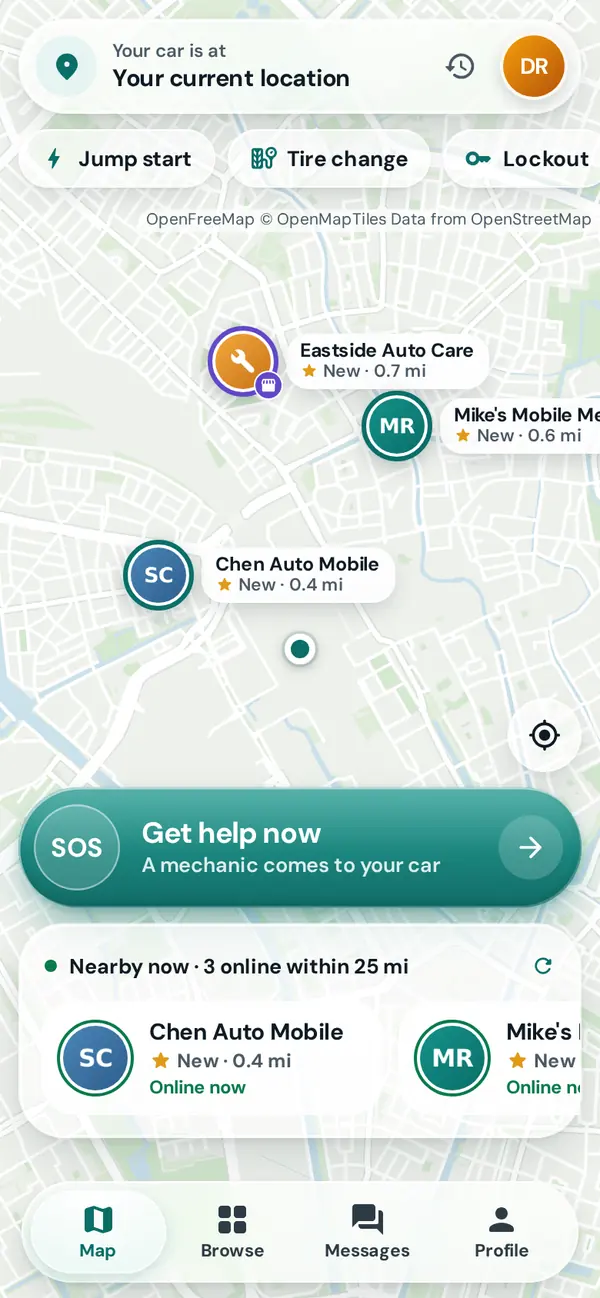
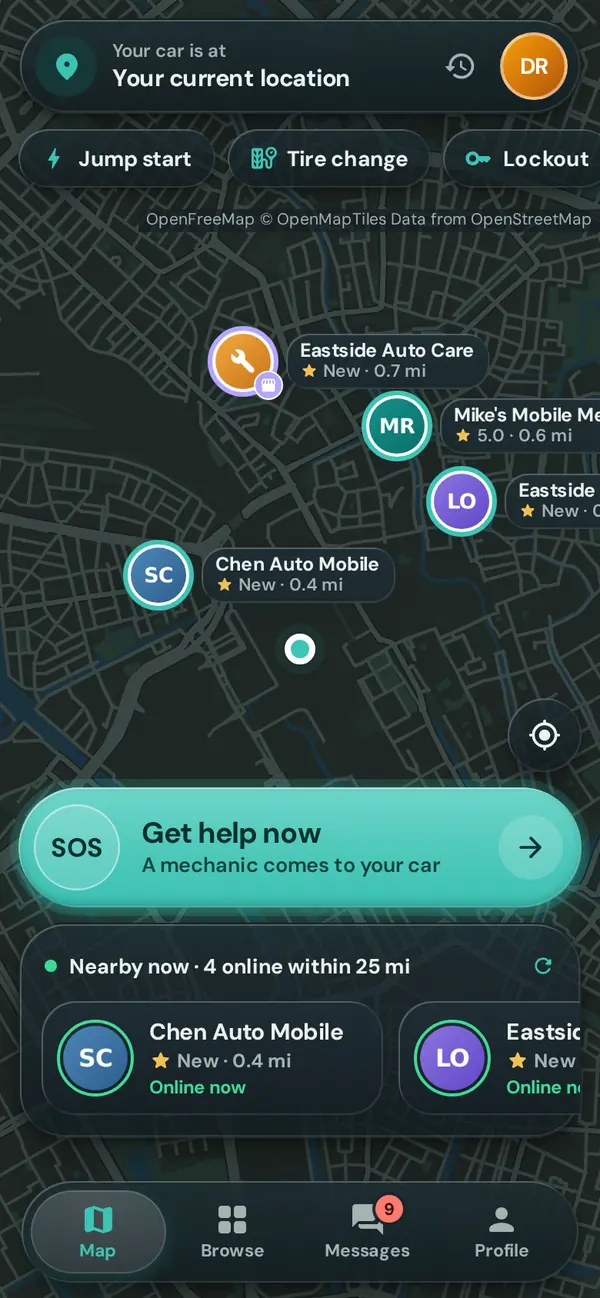
Create a free account in a minute. Drivers, mechanics and shops all start here, on the website or the phone app.